Choosing the right email service can make or break your marketing efforts. With dozens of platforms offering different features, pricing models, and levels of support, it’s easy for small businesses, startups, and marketers to feel overwhelmed. This article reviews the top email marketing services available today, comparing their strengths and limitations so you can find the best fit for your business goals.
1. SendPulse – Multi-Channel Power with a Generous Free Plan
SendPulse is an all-in-one marketing platform that’s very friendly to beginners on a budget. Its free plan lets you send up to 15,000 emails per month to 500 subscribers – one of the most generous free allowances available. Beyond email, SendPulse also offers channels like SMS, WhatsApp, and chatbots for social media under one roof, so you can experiment with multi-channel messaging later without switching tools.

Why is it great for beginners?
SendPulse’s intuitive, code-free interface includes a drag-and-drop email editor and many templates. It is easy to create emails without technical skills. Automation workflows (“Automation 360”) let you set up welcome emails or drip sequences, with some limits on the free plan. 24/7 support via chat and email is praised for responsiveness. Beginners also like the multi-channel feature, managing email, SMS, and web push in one workflow. This centralized, cost-effective approach appeals to small business owners and startups.
“SendPulse is quite affordable and offers a free plan that can meet the needs of most startups and small businesses… the usability is quite impressive and does not require much technical knowledge to build an email marketing template from scratch.” — Capterra review
Key beginner-friendly features:
- Generous free tier: 500 contacts and up to 15,000 emails monthly for free – great for testing and initial growth.
- Drag-and-Drop editor: Yes, with a good template library, plus a free landing page builder for simple sign-up pages.
- Basic automations: Set up welcome emails or simple drip campaigns. (Advanced multi-channel workflows exist, but complex logic may require a paid plan.)
- Support and learning: 24/7 live support (even on free), plus tutorials, an academy, and even a free online course builder to help you learn and engage your audience.
Best for: Non-technical small business owners (for its ease of use and multi-channel capabilities) and bootstrapped startup founders (for its generous free plan and affordable upgrades). It’s also suitable for e-commerce newcomers who want basic abandoned cart emails and order notifications – SendPulse has triggers (and even SMS) for that, though its e-commerce features aren’t as advanced as specialized tools like Drip or Klaviyo.
2. Mailjet – Collaboration and Simplicity for Small Teams
Mailjet is a French-born email platform known for its real-time collaboration features and straightforward interface. It offers a forever-free plan (6,000 emails per month, capped at 200 per day, to a maximum of 1,500 contacts) with all core features enabled. This means a solo blogger or small business owner just starting out can use Mailjet without paying and without feeling like they’re on a crippled trial.
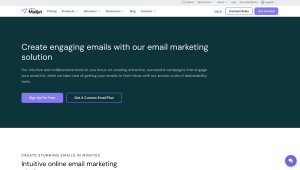
Why it’s great for beginners: Mailjet is praised for being easy to use, even for beginners. Its modern, uncluttered interface includes a drag-and-drop editor with templates and real-time collaboration, letting multiple users edit simultaneously. Basic analytics and good inboxing are available on the free plan. Automation is simple, with welcome emails and transactional sends on paid plans. Pricing is volume-based, starting around $17/month for 15,000 emails, making it cost-effective for small businesses.
“Mailjet is one of the best tools to create, send, and track marketing emails. The platform is very user-friendly… Live collaboration through Mailjet is smooth, plus you don’t have to worry about the contact storage limit. Creating templates and starting campaigns is very simple.” — G2 review
Key beginner-friendly features:
- Free plan: 6,000 emails/month (200/day) free, up to 1,500 contacts, with core features included. (Free plan emails have a small Mailjet logo footer until upgrade.)
- Email editor and collaboration: Drag-and-drop editor with template library. Uniquely, multiple team members can edit an email together in real time – perfect for small teams.
- Ease of use: Clean, intuitive UI. Many users report hardly needing support because it’s so easy to navigate. Pre-designed templates and an integrated image library speed up the design process.
- Support: Free users have access to a knowledge base and can email support. Paid plans add live chat (and phone support at higher tiers). Documentation and webinar tutorials are available for self-help.
Best for: Solo bloggers and small business owners who want a straightforward, reliable email tool, and small marketing teams that will benefit from the real-time collaboration (e.g. a startup or agency team co-creating campaigns).
3. AWeber – The Small Business Favorite with Top-Notch Support
AWeber is a veteran email marketing service that has long been a go-to for small businesses, entrepreneurs, and content creators. It’s deliberately designed to be beginner-friendly and prioritizes strong customer support. AWeber recently added a free plan (up to 500 subscribers) so new users can try it at no cost.
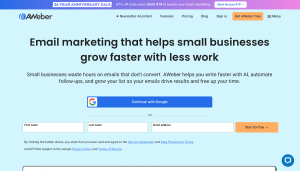
Why it’s great for beginners: AWeber is praised for its intuitive layout, making list management, email composition, and autoresponders easy for beginners. Step-by-step prompts guide users through simple autoresponder series, and drag-and-drop tools simplify email and form design. Support is excellent, with 24/7 live chat, email, and phone during business hours. Users frequently highlight AWeber’s reliability, ease of use, and helpful customer service.
“AWeber stands out because of its user-friendly interface, allowing those without sophisticated technical abilities to easily create, manage, and measure email marketing campaigns.” — G2 review
Key beginner-friendly features:
- Free plan: Up to 500 subscribers with basic features (one list, simple automation, landing pages) included. A no-risk way to start building your list. (Free plan emails include a small AWeber branding.)
- Drag-and-Drop editor: Yes, with a large selection of pre-designed templates. You can also build custom sign-up forms and landing pages with the same simple editor.
- Automation (autoresponders): Create automated email sequences even on free (e.g. a welcome series for new subscribers). Advanced automation (like tagging or branching logic) requires a paid plan, but for basic drip campaigns AWeber has you covered.
- Support and resources: 24/7 live chat and email support, plus phone support on paid plans. AWeber offers a detailed knowledge base and regular webinars for beginners, as well as pre-made campaign templates you can import.
Best for: Solo bloggers, content creators, and small business owners who want a straightforward tool with outstanding support. If you value having help readily available (and even the option to call someone), AWeber is an ideal choice.
4. Drip – E-Commerce Automation Made Approachable
Drip is a powerful email marketing platform (often called a “lightweight CRM for e-commerce”) geared toward online sellers who want advanced email automation. It can work for beginners who are focused on e-commerce and ready to invest in robust features early on. (Drip has no free plan aside from a 14-day trial; paid plans start around $39/month for up to 2,500 contacts.)
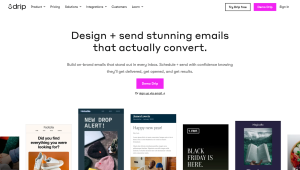
Why it’s great for beginners (in e-commerce): Drip’s modern, intuitive interface features a standout visual automation workflow builder, letting beginners set up campaigns like abandoned cart sequences without coding. Pre-built “playbook” campaigns help kickstart email marketing, while integrations with Shopify, WooCommerce, and others pull in store data. As users gain experience, advanced tagging and segmentation allow more targeted messages. Good in-app guidance and responsive customer support make powerful features approachable for newcomers.
“The visual workflow builder is one of the best I have ever seen. It is easy to use and you can get used to it in minutes… E-commerce automation and custom workflows are solid and easy to use.” — G2 review
Key beginner-friendly features:
- E-commerce playbooks: Pre-built automation templates for common scenarios (welcome series, cart abandonment, win-back campaigns, etc.) let beginners launch effective e-commerce email flows without starting from scratch.
- Visual builders: A drag-and-drop email editor and an intuitive visual workflow builder for automations. You create campaigns by dragging triggers, actions, and conditions into a flowchart, making multi-step sequences easy to set up and understand.
- Personalization and segmentation: Easily tag and segment customers based on their behavior (purchase history, browsing activity, link clicks). Drip’s UI helps you start with basic segments and gradually incorporate more detailed data as you become comfortable.
- Support and learning: Live chat (business hours) and email support, plus a comprehensive help center and tutorials. The support team can guide you through advanced features, so you’re not left to figure things out on your own.
Best for: E-commerce newcomers who want to set up smart, revenue-driving email automations early (Drip will grow with you as your store scales). Also great for a marketing assistant at a growing online retail company, since you’ll have the tools for sophisticated campaigns as your strategy expands. If you’re simply running a basic newsletter or a non-ecommerce blog, Drip is probably overkill (and expensive), but if you have an online shop or plan to monetize through email, Drip is a worthwhile investment for conversion-focused marketing.
5. Campaigner – A Scalable Platform for When You’re Ready to Grow
Campaigner is a veteran email marketing platform packed with advanced features like segmentation, A/B testing, and complex automation workflows. It’s often seen as a tool for larger businesses. If you anticipate needing more sophisticated email tactics down the line, Campaigner provides a solution you won’t outgrow. (There’s a 30-day free trial; paid plans start around $59/month for up to 5,000 contacts.)

Why it’s great for growing beginners: Campaigner’s clean, logical interface offers beginner-friendly tools plus advanced features. Its drag-and-drop editor and hundreds of templates make designing emails easy, while navigation and tooltips simplify use. Automated workflows with multiple steps and branching are available on standard plans, letting users experiment with sophisticated drip campaigns. Features like autoresponders, segmentation, and A/B testing are all in one platform, so you can start simple and grow without migrating.
“The platform is easy to use and implement, and it provides an array of customizable features that are ideal for growing businesses looking to scale their email marketing efforts and reach a wider audience.” — Business.com review
Key beginner-friendly features:
- Rich email editor: Drag-and-drop editor with hundreds of templates for quick, professional email design. (You can also switch to HTML or add dynamic content blocks when you become more advanced.)
- Powerful automation: A visual workflow builder lets you create automated sequences with multi-step if/then logic. Even entry-level users can set up complex customer journeys (like a welcome series with different paths) without needing an upgrade.
- Testing and analytics: Built-in A/B testing allows you to experiment (e.g., test two subject lines). The reporting dashboard goes beyond basics – you get geo-tracking data and click heatmaps for deeper analysis when you’re ready.
- Deliverability and scaling: Campaigner helps protect your sender reputation by automatically handling bounces and unsubscribes. It’s designed for high-volume sending, so you won’t hit a ceiling as your list grows.
Best for: Ambitious beginners or small marketing teams who expect their email needs to become more advanced quickly. If you have a large (or fast-growing) contact list and want a platform that scales with you, Campaigner is an excellent choice. It might be more than a hobbyist with a tiny list needs (a simpler free tool could suffice there), but if you’re looking for a beginner-friendly platform that will remain powerful as you grow, Campaigner fits the bill.
6. Mailrelay – Generous Free Sending for the Budget-Conscious Beginner
Mailrelay is a lesser-known email marketing service that offers one of the most generous free plans in the industry. You can manage up to 3,000 subscribers and send 15,000 emails per month for free (no credit card required) – far more than most competitors allow without paying. This huge free allowance is a big draw if you’re a beginner on a tight budget or have a large list but little money to spend.
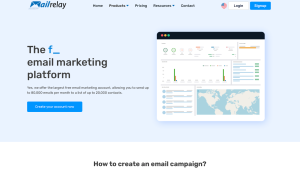
Why it’s great for beginners: Mailrelay emphasizes simplicity and high volume. Its straightforward interface and step-by-step campaign wizard make it easy for beginners, with a drag-and-drop editor, templates, list segmentation, and basic stats. The free plan is generous, letting small businesses run substantial newsletters or simple drip campaigns. Mailrelay also prioritizes deliverability with its Smart Delivery system, and users praise its responsive, human support and educational resources.”
“Mailrelay’s free tier is so high, that it’s likely that you won’t pay for the service until you really grow up – and even then, its pricing is really cheap… Also, it has a ton of learning material and their support service is helpful.” — Capterra review
Key beginner-friendly features:
- Massive free plan: Up to 3,000 subscribers and 15,000 emails per month for free. No forced ads in emails on the free plan, either.
- Easy to use: Straightforward, step-by-step campaign setup. The interface is basic but clear – beginners often find it “very easy and effective” (Capterra) for getting emails out without confusion.
- Basic automations: Ability to set up simple autoresponders (like a welcome email or short drip series) on the free plan. Not advanced logic, but covers common starter needs.
- High deliverability: Mailrelay’s infrastructure and Smart Delivery feature help achieve excellent inbox placement. The service automatically handles bounces and unsubscribes, keeping your sender reputation healthy as you send to large lists.
- Support and education: Friendly customer support is available to all users, including those with free accounts. Mailrelay also provides lots of tutorials and blog content to educate you on both using the software and general email marketing tips.
Best for: Bootstrapped startups, nonprofits, or any small organization that needs to send a high volume of emails on a zero budget. It’s ideal for non-technical users who want a straightforward tool and appreciate having support available. You might eventually outgrow Mailrelay if you require very advanced automation or integrations, but it gives you an extremely long runway to build your email program before any costs kick in.
7. SparkPost – Deliverability and Data Insights for Tech-Savvy Beginners
SparkPost is a high-powered email delivery platform known for exceptional deliverability and detailed analytics. It’s a bit different from typical email marketing tools – it’s often used by developers for transactional emails – but it also provides a UI for marketing campaigns. If you’re a beginner with a technical streak or someone who cares most about reaching the inbox, SparkPost stands out. It lacks the drag-and-drop frills of some platforms, but it offers unrivaled visibility into your email’s journey and uses the same infrastructure that many large companies rely on. (There’s a free developer account for about 500 emails/month, and paid plans from ~$20/month.)
SparkPost offers top-tier deliverability, sending a large share of global B2C emails, and provides detailed analytics on delivery, bounces, and spam complaints. Smart technology fine-tunes sending automatically, improving inbox placement. While it assumes some technical comfort—API, SMTP, or HTML use is common—its documentation and community help beginners learn email best practices. SparkPost scales easily, handling campaigns from hundreds to millions of emails.
“SparkPost uses advanced technology to ensure high deliverability, including adaptive email delivery, predictive bounce handling, and ISP feedback loop analysis.” — Sprout24 review
Key beginner-friendly (and advanced) features:
- Deliverability analytics: Comprehensive dashboards let you monitor delivery rates, bounce reasons, and spam complaints in real time. You can immediately identify issues (like a high bounce rate or spam problem) and learn how to fix them – a great learning tool for newbies.
- Templates and API: You can create and store templates on SparkPost and personalize them with variables. If you’re comfortable with code, SparkPost’s API and SMTP give you immense flexibility to send emails from your own app or site. (If not, you can still send newsletters via SparkPost’s web UI or by connecting it as the sending engine for another tool.)
- Scalability: Designed for high volume, SparkPost will scale with you. You won’t need to switch platforms as your list or application grows – it handles small campaigns as reliably as massive sends, always with a focus on deliverability.
Best for: Developers, technical startup founders, or data-focused marketers who want maximum control over email sending and insight. It’s perfect if you need one platform for both transactional emails (like app notifications) and marketing emails, since SparkPost excels at both. It’s also a fit for a tech-oriented marketing assistant who isn’t afraid to dabble in HTML or dive into analytics. If you’re a non-technical user looking for a plug-and-play newsletter tool, SparkPost might be too overwhelming – some teams, in that case, use SparkPost behind the scenes for deliverability while employing a friendlier editor on top. For those willing to learn the ropes, though, SparkPost offers deliverability and data transparency that’s hard to beat.
8. Netcore – Omnichannel Marketing Power for Ambitious Beginners
Netcore is an AI-powered marketing platform that lets you reach customers across email, SMS, WhatsApp, push notifications, and more from a single place. It’s popular with large enterprises, but it can be a game-changer for a beginner who plans to use multiple channels or wants advanced tools early on. Netcore’s team also provides extensive support to help new users get started, which means you won’t be left to figure out its powerful features alone.
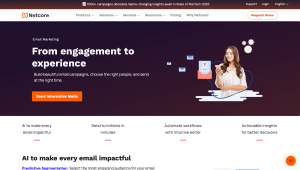
Netcore’s strength is its omnichannel approach, letting beginners build customer journeys across email, SMS, and more with a visual drag-and-drop builder. The UI is intuitive, and new users benefit from responsive support and often a dedicated manager to guide campaign setup. AI tools optimize send times, suggest subject lines, and recommend content, boosting engagement with minimal expertise. Unified analytics tracks all channels in one dashboard, making expansion easy.
“Netcore stands out for its strong feature set, ease of use, and a highly responsive team… With zero knowledge in email and WhatsApp marketing, the platform made it easy to reach my audience across multiple channels. The UI is straightforward, making it simple to create templates without hassle.” — G2 review
Key beginner-friendly features:
- All-in-one journey builder: Visually create automated workflows that coordinate email, SMS, push, etc. It’s drag-and-drop, so even complex multi-step campaigns are easier to set up.
- User-friendly campaign tools: Library of pre-designed templates and a simple editor for emails (and texts) help you design campaigns quickly. You can personalize messages using customer data, and the platform’s AI will even suggest content to improve performance.
- AI optimization: Smart features like send-time optimization (sending emails when each user is most likely to open), AI-written subject line suggestions, and product recommendations for e-commerce can boost engagement automatically, even if you’re not an expert.
- Unified analytics: Track customer engagement across all channels in one dashboard. See how users interact with your emails, SMS, push notifications, etc., side by side – very helpful as your marketing strategy grows more sophisticated.
- Dedicated onboarding and support: Netcore provides strong support to beginners, often with an assigned account manager. They help with initial setup (e.g., setting up your sending domain), campaign strategy, and any troubleshooting. Plus, there’s a rich knowledge base and community forum to learn from case studies and other users.
Best for: A beginner at a startup or growing business who intends to use a mix of channels to engage customers (for example, an e-commerce or app-based business doing email + SMS + push notifications). Netcore is ideal if you value an all-in-one solution and don’t mind a more enterprise-level onboarding (since you’ll get a lot of guidance). It’s probably overkill for a solo blogger or a small local business that just needs basic email newsletters, but if you have big marketing ambitions (and the budget to invest accordingly), Netcore will give you a powerful platform that can scale with you.
9. EmailOctopus – Simple and Affordable Email Marketing
EmailOctopus is a refreshingly straightforward email marketing service that’s beloved by many bloggers, creators, and small businesses for its ease of use and budget-friendly pricing. It doesn’t have all the bells and whistles of some larger platforms, but that simplicity is exactly the appeal for beginners – you get just what you need to start sending campaigns without confusion. EmailOctopus also offers a generous free plan: you can manage up to 2,500 subscribers and send 10,000 emails per month for free.
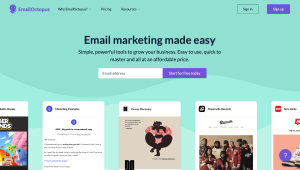
EmailOctopus is beginner-friendly with a clean, minimal interface and a clear dashboard. Its drag-and-drop editor offers around 30 simple templates, letting users focus on creating content without extra complexity. Basic automation supports autoresponders and drip sequences, while the included landing page builder and embeddable forms make collecting subscribers easy, even without a website.
“They have an amazing free plan: 2,500 contacts and 10K emails per month. Beginners will like how easy it is to navigate and use the software.” — EmailVendorSelection review
Key beginner-friendly features:
- Generous free plan: Up to 2,500 subscribers and 10,000 emails per month are free. This lets you build and engage your audience for a long time before you ever need to pull out a credit card. (Free accounts just add a small EmailOctopus logo to your email footer.)
- Clean, intuitive interface: Minimalist dashboard and menus make it easy to find everything. Even with no prior experience, you can quickly import contacts, create an email, and send it out.
- Easy email editor: Drag-and-drop editor with a library of simple, responsive templates. Only essential content blocks are included, keeping it user-friendly. No design or coding skills needed to craft a nice-looking email.
- Basic automation: Set up simple automated sequences (e.g., a welcome email or a short series of follow-ups for new subscribers). It’s a straightforward autoresponder for nurturing new sign-ups or other basic triggers.
- Landing pages and forms: Built-in tools to create basic landing pages and sign-up forms. Great for beginners without a website – you can capture new subscribers through EmailOctopus’s hosted forms and pages.
Best for: Solo bloggers, content creators, and small organizations that want a fuss-free, affordable email solution. It’s ideal for those who mainly need to send newsletters or simple drip campaigns and aren’t looking for advanced automation or CRM integration. Bootstrapped startups and nonprofits will appreciate growing their list on the free plan (and then upgrading at low cost). If down the road you need very sophisticated automation or e-commerce features, you might outgrow EmailOctopus – but as a starting point, it covers everything a beginner needs to run effective email campaigns without headaches.
10. Yotpo (Yotpo Email) – E-commerce Email Made Easy (Especially for Shopify Stores)
Yotpo is known for its e-commerce marketing suite (reviews, loyalty programs, etc.), and Yotpo Email is its email/SMS marketing platform. It’s built specifically for online stores. If you’re a beginner who just launched a Shopify or WooCommerce shop, Yotpo Email can handle your customer emails (and even texts) with minimal hassle. It comes loaded with pre-built e-commerce email templates and automated flows, so you won’t be staring at a blank slate. There’s even a free tier (around 10,000 emails per month) to get you started without cost.
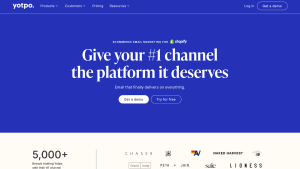
Yotpo Email acts like an on-call email marketing expert, guiding beginners with ready-made campaigns like abandoned cart or post-purchase flows. Its user-friendly interface and smooth onboarding make setup easy, while responsive customer support is available as needed. Integrations with store data allow effortless personalization, segmentation, and product recommendations, and revenue tracking shows the impact of each campaign.
“From onboarding to daily use, the platform runs smoothly without any technical hiccups. One of the biggest highlights is their customer support — quick to respond, knowledgeable, and always friendly. The UI is straightforward, making it simple to create templates without hassle.” — G2 review
Key beginner-friendly features:
- Pre-built eCommerce flows: Ready-to-enable automated sequences for welcome series, abandoned carts, post-purchase follow-ups (reviews, thank-yous), win-back campaigns, and more. Turn these on with one click and just tweak the content to match your brand.
- Drag-and-Drop editor: An intuitive email editor that includes special blocks for products. Drag in a “Product” block and it auto-fills with an image, price, and link from your store. This makes it effortless to create professional, product-rich emails.
- Deep store integration: Syncs directly with Shopify, BigCommerce, WooCommerce, and others. All your customer and order data is available for segmentation and personalization – no manual data import needed. For example, targeting everyone who bought a certain product or hasn’t purchased in 3 months is just a few clicks.
- Free tier and scalable pricing: Free for up to ~10,000 emails/month, which covers a lot of ground for a new store. As you grow, pricing is usage-based and generally more affordable than older e-com email tools (many users find it cheaper than Klaviyo for similar volumes).
- Email + SMS integration: Yotpo’s SMS marketing module integrates seamlessly with Yotpo Email. You can coordinate email and text campaigns from one dashboard – e.g., send a cart reminder email and a follow-up SMS – keeping messaging consistent and all customer communications in one system.
Best for: Yotpo Email is ideal for e-commerce beginners on Shopify or similar platforms, providing pre-built email (and optional SMS) campaigns that drive sales. It handles follow-ups, cart recovery, and customer retention, letting store owners focus on running their business. Commerce-focused, it’s like having an email marketing expert from day one.
For a broader industry perspective, you can also check out the 2025 Capterra Shortlist for Email Marketing, which highlights some of the most popular and highly rated tools.
After comparing all the beginner-friendly email marketing tools, SendPulse comes out on top. Its feature-rich free plan, simple drag-and-drop editor, and built-in multi-channel features (email, SMS, WhatsApp, chatbots, and website live chat) make it more versatile than most competitors. While others excel in specific areas—like AWeber with customer support or Yotpo with e-commerce—SendPulse gives beginners the best balance of value, usability, and room to grow.
Finding the right email marketing platform can feel overwhelming at first, but it really comes down to choosing a tool that fits your needs—your budget, the features you’ll actually use, and how comfortable you are with the setup. The good news is that most of these platforms give you a free plan or trial, so you can play around without spending a penny. Try one out, see how it feels, and stick with the platform that makes email marketing simple rather than stressful. Once you’ve got the right tool in your corner, hitting “send” on your first campaigns will feel exciting, not intimidating. And if you’re looking to take things a step further, you might also explore chatbot builders to engage your audience in real time. Start small, test the waters, and watch your audience grow—you’ll be glad you did.