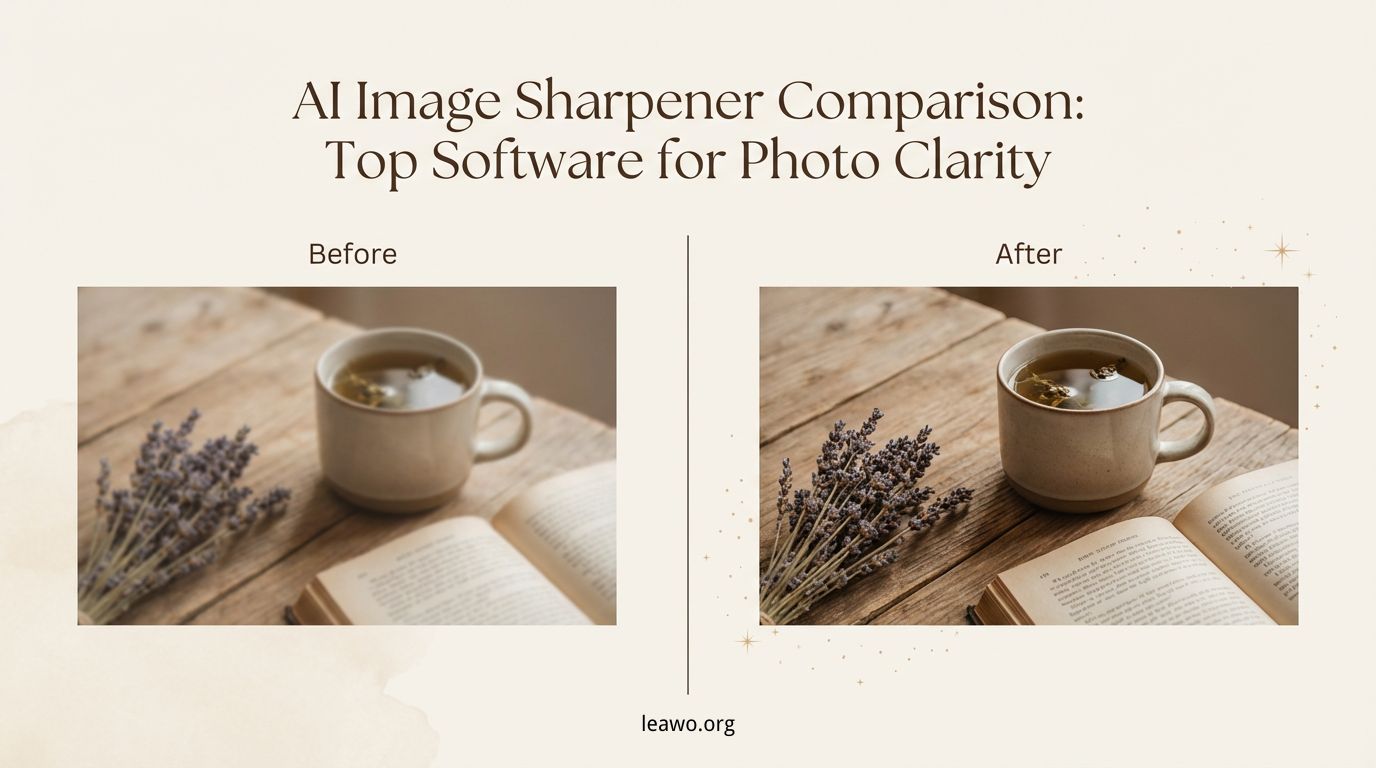
In the world of photography and content creation, image clarity is everything. Whether you are a professional photographer, a social media influencer, or just someone who loves capturing memories, blurry or low-resolution images can be frustrating. This is where AI image sharpeners come into play. By leveraging advanced artificial intelligence algorithms, these tools can increase image resolution, recover lost details, reduce blur, and make your photos look crisp and professional. In this article, we’ll explore the core functions of image sharpener AI tools, review the top software options, and help you choose the best AI image sharpener for your needs.
Part 1: Core Functions of AI Image Sharpeners
AI image sharpeners are designed to enhance image quality intelligently. Here are the core functions that set them apart from traditional sharpening tools:
1. Edge Enhancement
Edge enhancement is a key feature in any AI image sharpener. It identifies the outlines of objects and emphasizes them, making photos appear more defined. This is particularly useful for architectural photography, portraits, and product images where crisp edges matter.
2. Detail Recovery
Advanced AI algorithms can restore fine details that may be lost due to compression or low-resolution capture. Whether it’s the texture of fabric, hair strands, or foliage in a landscape, detail recovery ensures your images retain depth and realism.
3. Blur Reduction
Blurry images caused by camera shake or out-of-focus shots can often be rescued with AI-powered blur reduction. Modern AI sharpeners analyze the blur patterns and reconstruct a sharper image, often outperforming standard manual sharpening tools.
4. Noise Management
Noise, especially in low-light photos, can compromise clarity. AI image sharpeners not only reduce noise but also preserve essential details, balancing clarity and smoothness for natural-looking results.
5. Batch Processing
For professionals working with hundreds of images, batch processing is a lifesaver. Many AI sharpeners allow users to process multiple images simultaneously, saving significant time while maintaining consistent output quality.
Part 2: Top AI Image Sharpener Tools Tested
Now that we understand the core functions, let’s look at some of the top AI image sharpener software available today:
1. Leawo Photo Enlarger
Leawo Photo Enlarger is a robust tool designed to enhance image resolution while sharpening details. Using AI algorithms, it can increase image resolution without noticeable quality loss.
Pros:
- Excellent resolution enhancement
- Batch processing support
- User-friendly interface
Cons:
- Limited advanced editing features
2. Topaz Sharpen AI
Topaz Sharpen AI is renowned for its precision and flexibility. It offers three modes—Sharpen, Stabilize, and Focus—allowing users to correct different types of blur.
Pros:
- Powerful blur correction
- High-quality output with minimal artifacts
- Detailed customization options
Cons:
- Relatively expensive
- Slower processing on older hardware
3. Fotor AI Image Sharpener
Fotor AI Image Sharpener is a browser-based solution perfect for quick fixes. It balances sharpness and noise reduction automatically, making it ideal for casual users.
Pros:
- Web-based, no installation needed
- Fast processing
- Free version available
Cons:
- Limited control over advanced parameters
- Best suited for small images
4. VanceAI Image Sharpener
VanceAI Image Sharpener uses deep learning to restore blurred images efficiently. It supports both single and batch processing with excellent detail recovery.
Pros:
- AI-powered noise reduction
- High-quality output for portraits and landscapes
- Batch processing available
Cons:
- Subscription required for full features
- Processing speed can be slower for large files
5. Photoroom
Photoroom combines AI sharpening with overall image enhancement, often used for e-commerce product photos and social media visuals.
Pros:
- Easy-to-use for non-professionals
- Enhances clarity while optimizing colors
- Mobile-friendly
Cons:
- Less precise for professional-grade sharpening
- Limited batch options
Part 3: Comparison Table
| Tool | Price | Batch Processing | Output Quality | Process Speed | Best For |
| Leawo Photo Enlarger | $39.95 | Yes | Excellent | Fast | Resolution enhancement, batch editing |
| Topaz Sharpen AI | $79.99 | Yes | Excellent | Medium | Professional photographers, high-end detail recovery |
| Fotor AI Image Sharpener | Free / Paid | No | Good | Fast | Quick fixes, casual use |
| VanceAI Image Sharpener | Subscription | Yes | Very Good | Medium | Portraits, landscapes, batch processing |
| Photoroom | Free / Paid | Limited | Good | Fast | Social media images, e-commerce photos |
Part 4: Conclusion
AI image sharpeners are indispensable tools for modern photographers and content creators. By combining AI algorithms with traditional editing techniques, you can rescue blurry shots, restore lost details, and increase image resolution effortlessly.
Choosing the best AI image sharpener depends on your needs. Ultimately, using AI tools in conjunction with manual adjustments ensures maximum clarity and creative control. By selecting the right tool according to your workflow, you can consistently produce sharp, stunning images that stand out in both photography and digital content.