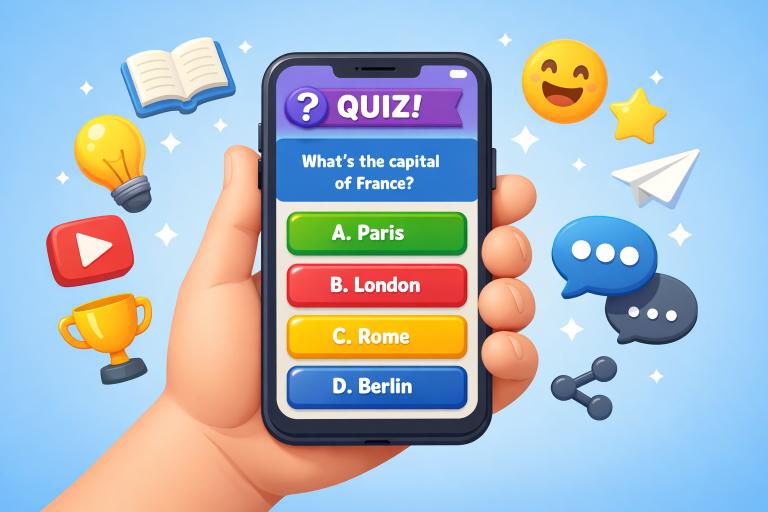
As mobile devices continue to shape how people interact online, the design of digital quizzes has evolved into a powerful strategy for engagement, learning, and data collection. Designing quizzes that are not just functional but genuinely enjoyable demands careful thought about the mobile experience. Leveraging proven design strategies can significantly improve user retention and satisfaction, making your quizzes stand out in a crowded app marketplace. For inspiration, reviewing successful examples of quiz app UI layouts can be a great starting point for refining your project’s user interface.
Understanding what makes an effective mobile quiz is more important than ever. Mobile users expect immediate, simple, and enjoyable experiences that fit into their busy lifestyles. The quality of each touchpoint, from question design to results presentation, influences overall success in user engagement as well as the wider reach of your quiz product.
Responsive mobile quizzes demand a blend of technical performance and creative intuition. Getting these foundations right not only elevates satisfaction but also helps build a loyal audience. A smart combination of usability, speed, accessibility, and engaging content will lead to quizzes that people remember and share.
Tuning in to users’ needs and advancing design thinking will enable quiz creators to deliver enjoyable, impactful digital experiences. With the right approach, quizzes can become a key tool for interaction in educational, marketing, and entertainment apps.
Understanding Your Audience
Before launching a mobile quiz, it is critical to know who you want to reach and what you aim to accomplish. Is your main goal to educate users, provide entertainment, or gather valuable information? When you understand your audience’s motivations and context, you can align your quiz’s tone, length, and question formats to encourage higher completion rates and satisfaction. Demographic factors such as age, background, and interests will shape how users experience your quiz, so tailor the approach accordingly to maximize engagement.
Simplifying Design for Small Screens
A cluttered or complex layout quickly frustrates mobile users. To support smooth navigation and interaction, keep interfaces clean by adopting large text, simple icons, and clear buttons. Pay careful attention to spacing, ensuring that users can easily tap their choices without accidental clicks. When quizzes are lengthy, break them into shorter segments or use progressive disclosure to reveal content in manageable chunks rather than overwhelming the user.
Optimizing Loading Speed and Performance
Loading time is a make-or-break factor for mobile quiz retention. Compress images, limit on-page assets, and use streamlined code to ensure quick load times. Employing lazy loading for media and minimizing external scripts will further speed up performance, ensuring users stay engaged rather than abandoning the quiz midway. Always consider mobile data constraints, especially since not all users will have access to high-speed connections.
Incorporating Responsive Design Elements
Device diversity means your quiz should seamlessly adjust to any screen size or orientation. Responsive design enables quizzes to dynamically reshape layouts, buttons, and images without sacrificing usability or aesthetics. Implement flexible grids and scalable graphics to allow for crisp visuals across all resolutions. Interactive elements like sliders or toggles should be designed for finger input, not just mouse clicks, making actions feel natural and accessible for everyone.
Testing Across Multiple Devices
A mobile quiz that looks great on one device can encounter issues on another. Routine testing across different smartphones and tablets helps uncover issues such as misaligned graphics or navigation quirks. Embracing a test-driven approach ensures uniform performance and protects against negative user experiences. Focus especially on devices popular with your audience, as these will drive the majority of engagement.
Crafting Engaging Questions
The heart of an engaging quiz lies in its questions. Strive for brevity, clarity, and variation to keep users focused and interested. Use a mix of question types, including multiple-choice, true-or-false, and short open-response options, to create a dynamic flow. Always match question content to your quiz’s goal, whether that’s reinforcing learning or sparking a laugh to strengthen relevance for your audience. Personalization of content, based on user data where appropriate, can further boost engagement.
Providing Personalized Results
Custom feedback or outcome summaries create a satisfying sense of accomplishment for users. Tailor results to their responses, offering encouragement, advice, or next steps that genuinely relate to their quiz journey. This approach increases perceived value and encourages users to return for future quizzes or share the experience with friends.
Encouraging Social Sharing
Social sharing tools built into mobile quizzes can amplify their reach organically. Make it simple for users to post results or challenge friends directly from the results screen. Clear calls to action and easy-to-use sharing buttons make all the difference in maximizing visibility and attracting new participants. Thoughtful integration with popular platforms ensures the easiest path to viral reach.
Final Thoughts
With an audience-focused, streamlined, and responsive approach, mobile quizzes can become a highlight of any digital strategy. Investing in user experience leads to higher completion rates, greater reach, and a more meaningful impact for both creators and users.